Default Point Hotspots
December 28, 2021 • By Tim A.
Last updated: March 27, 2025Features
Update
Blog Post

Here's a quick time saving tip!
If you use certain colors or icons in all your Hotspots, don't visit the Hotspot Library every time you insert a new Point Hotspot in order to apply those same settings! The Hotspot Library has a toggle that will set the Template you select as the Default Point Hotspot.
What does that mean? As soon as you add a new Point Hotspot, all the settings in the selected Template will be magically applied for you.
You can set a new Default Hotspot at any time, as well as simply clear any set Template back to the platform defaults at any point.
The Default Point Hotspot Setting in the Hotspot Library
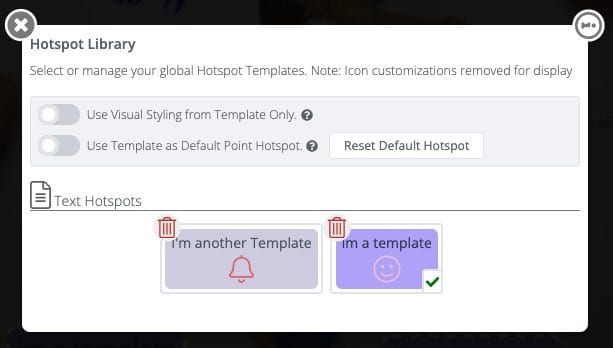
#protip: The current default template will have a check mark on it.