Powerful, User-Friendly Features For Creating Interactive Images and 3D Models
SeekBeak is designed to be a powerful, easy-to-use, mobile friendly way of creating virtual tours and experiences, and adding interactivity to your 360° images, flat images, and 3D Models. Using our toolkit, you'll be able to create experiences as compelling, and as powerful, as your vision.
The SeekBeak Hotspots
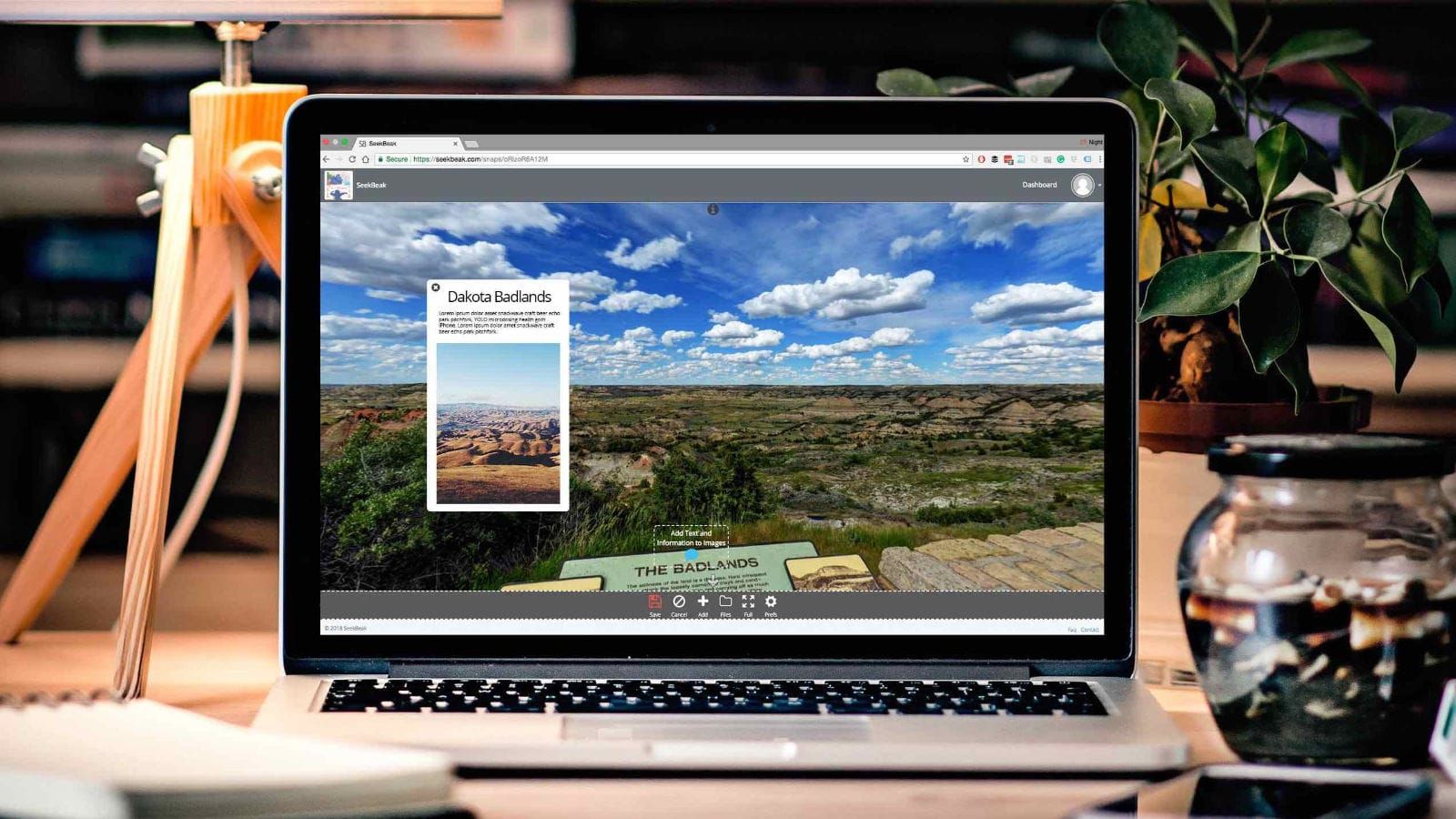
Hotspots in SeekBeak allow you to add interactive multimedia content and metadata, bringing your 360° images, flat images, 3D Models, virtual tours, and experiences, to life. Hotspots enable your users and clients to discover content that goes way beyond a simple static image.
Choose from either the standard Point based Hotspots, or create Polygon based Hotspots, which allow you to define complex trigger shapes within your image or 3D model.
The SeekBeak Hotspots are rendered using vectors, so they're always crisp and readable at any zoom level, on any device. The color and opacity of the text, background, and icon of every Hotspot is customizable, and can be animated using our built in Animation Suite.
Hotspots normally have a primary action, but can also have multiple other actions assigned. The primary actions for any Hotspot includes:
Rich Text Popup
Does your picture need to say more than a thousand words? Easily add your text by using the Rich Text content hotspot! Change colors, fonts, sizing and more. Plus: SeekBeak automatically parse your content and create clickable web and email address links.
Virtual Tours
Need to warp your user to a new room in a house, or another section of a store? The 'Jump To Snap' Hotspot allows you to teleport the viewer to any of your other Snaps. Each Hotspot can also define a unique start point, and transition to the next image, perfect for areas which may have multiple entry/exit points.
Forms / Data Capture
Use our comprehensive Form Designer to create your perfect form. Capture all sorts of data: text input, multiple choice responses, numerical and more. Apply weightings to responses for quizzes, and then import into your LMS. Get instant email responses on form completion, perfect for quiz results, appointment booking, lead generation etc.
URL Links
Need to link to a Facebook profile, product page, or a certain blog post? Want to create a 360° menu or catalogue for your website or store? The URL Hotspot is your ticket to any web URL.
2D Image Slideshows
Display gorgeous photo slideshows or single images when your user interacts with the Image Hotspot. The slideshow has rich navigation and swipe controls on mobile and desktop. All images can be viewed fullscreen, or resized dynamically, based on the viewers device.
Embedded 3rd Party Content
Embed external videos, maps, images, PDFs, Microsoft Office files, other 360° content, and tons of other external content from sites such as YouTube, Instagram, Vimeo, Facebook, Flickr, Google Maps, and loads more!
Email
Itching to get some feedback on a product, or to take orders or reservations via email? The Email Hotspot will open up the users email client with your custom email address pre- populated.
3D Spatial Audio
Add annotations, background sound FX, a narrated walkthrough, promotional overdub, music clips, or any other MP3 files. Both HRTF based Spatial Audio for Virtual Reality, and normal stereo modes supported. No audio recorder? No problem, SeekBeak has a built in MP3 recorder that records from your computers microphone via Chrome, Firefox, Opera and Edge browsers.
eCommerce / Buy Now
Enter a link from an online product page, and watch SeekBeak magically create a "Buy Now" hotspot for your product with product details and images automatically populated. No syncing databases or re-entering data. Seamless integration with Shopify, ebay, Amazon, Etsy, and more!
Broadcast Signal
The Internet of Things (IoT) is at your fingertips! Control API managed smart devices including: lighting, thermostats, home automation, external software or hardware... almost anything that can be controlled from a secure HTTPS API. Easily add custom headers for OAuth, Basic Authentication etc, and send your data in JSON or form-urlencoded formats.
Phone
Getting people to call you has never been easier. When clicked or tapped, the Phone Hotspot will automatically call your custom phone number. If the SeekBeak Snap is being viewed on a desktop, the Hotspot will use any software available to call (i.e. FaceTime, Skype etc...)
Lens Flare
Brighten up your image by adding realistic dynamic lens flares on light sources. Fully configurable sizes, colors, lens artifacts, and more. You can go from realistic, to dual suns on Tatooine, to glowing green zombie eyes in seconds.
Hotspot Extras
Hotspot Library
The Library isn't exactly a Hotspot, more like a close cousin. Spent a lot of time developing the perfect animated Hotspot using your brand colors? Simply save that Hotspot to your Hotspot Library, and load it back into any Snap whenever you need it.
Marker Lines
You don't need to cover your item of interest with a Point Hotspot when you can point to it with a Marker Line. Great for putting icons, images and labels in cramped areas, pointing out places of interest, or even large scale placements.
Hotspot Backgrounds
Use an image, or video, to be the background of your Polygon Hotspot. SeekBeak will perspective correct it so it fits right in. The possibilities are endless.
Made For Mobile
100% Browser Based
No websites to manage, no hosting to configure, no software or scripts to install, no patches, no updates, no plugins, no hassle!
The full editing suite... On your phone or tablet.
Add new content, update a client's info, move some Hotspots, or change a contact email address? You can do everything on your mobile device.
Cross Browser Viewer
Our SeekBeak Viewer works across all popular current desktop and mobile browsers, all at a silky 60fps. Your users will experience effortless inertia-based panning and zooming, using touch gestures or a mouse. Your users can navigate around the image by physically moving their phone around, like looking through a virtual window.
Private and Customizable
Custom Overlays & User Interfaces
Our Custom Overlay designer allows you to create the User Interface that you want. Whether it's a single custom button that's always visible, or an entirely custom user experience with hundreds of UI nodes, actions and events, SeekBeak Overlays let you do it all.
Custom Transitions
Sure, we've got the nice crossfades, the zooms, the walkthrough transitions... but we also have a comprehensive transition designer, if you want to add that extra wow factor. Upload your own custom gradient wipe files, use our built in gradient wipe designer, upload client logos, then adjust the speeds, zooms, and other animation parameters to build your perfect transition!
Custom Branding
Use your company logo as a watermark in your Snaps. Customize the logo URL, title, position and size at any time. You can also use your own custom Google Analytics Tracking ID per Snap.
Custom Hotspot Icons & Colors
SeekBeak has dozens of stock vector icons for your Hotspots, and we allow uploading of your own custom static, or animated, .svg, .jpg, .png, .gif, or .apng format icons! We also allow you to configure the color and opacity of the text, background, and icon of every hotspot.
Maps & Floor Plans
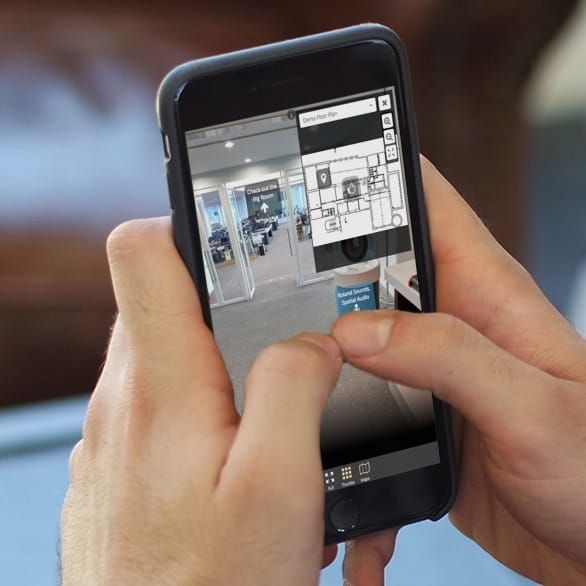
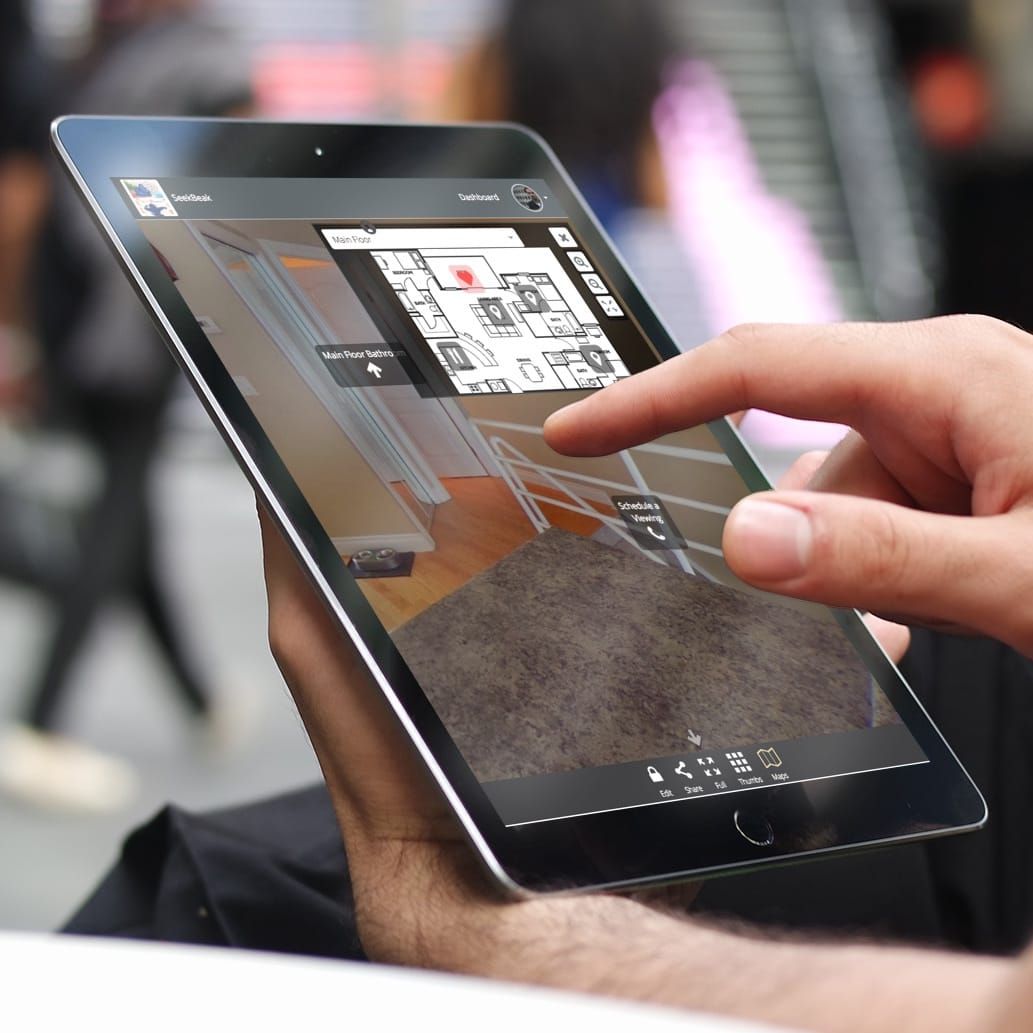
Upload an image and create a 2D map, or multiple layers of maps, for floor plans, overlays, arial overviews etc. using our ridiculously easy Map Editor. Easily add navigation Hotspots and let your viewers smoothly navigate their way around!
Split Screen View
Show the same location at two different points in time Choose from a selection of Split Screen modes:
Vertical Split - The standard split down the middle with an adjustible slider.
Horizontal Split - The same adjustible slider, but split via the top/bottom.
Split Screen Vertical / Horizontal - A perfect 50% / 50% vertical or horizontal split with corrected aspect ratios.
Dual View Vertical / Horizontal - A perfect 50% / 50% horizontal or vertical split with the full image in each side.
Sharing is Caring
Robust Content Sharing Options
A dedicated Share button instantly shares your content across any social media, instant messaging, SMS, comment fields, forum responses etc.
We even provide a QR Code generator for print media, and an Photo Snapshot button which takes a 2D photo of your current view, ready for presentations/uploading/whatever.
Upload your own thumbnails, or have SeekBeak generate watermarked thumbnails for you.
Use our custom URL generator, which allows your sharing link to be customized, dynamically changing your content, allowing you to easily do things like removing branding for MLS sites which don't allow it.
Full link tracking support in all Reports via UTM codes, and yes, we also provide a very robust UTM link generator for you to use.
Embed Anywhere
Using our handy embed code generator, you can embed your photos and tours anywhere on your website using JavaScript or IFrames.
The script version allows movement via your mobile phone accelerometer across domain names. It also cleverly limits the number of active 360's to lower mobile browser memory consumption and prevent crashes that can occur with many embeds.
Looking for some deep integration? The SeekBeak Embed API allows for bi-directional communication between a SeekBeak embed and any host website.
Manage your Privacy, Teams, and Workflow
Private or Public Images
We don't force you to submit your Snaps to any online directories. Your content is private unless you publish or share your custom URL.
Batch Uploading
Upload and manage multiple images and assets with ease.
Content Organization: Snaps, Maps & Groups
SeekBeak uses a simple organizational structure. A "Snap" is a self-contained unit: one equirectangular 360° image, flat image, 3D model, or Gaussian Splat, along with all the hotspots and associated audio, video, and image files you attach to it. A "Map" is a 2D image with navigation hotspots that lets your users move around visually — floor plans, aerial views, brochures, or anything else. A "Group" is how you organize your Snaps into virtual tours, client projects, classrooms, courses, company divisions, and more.
Team-Based Accounts
Part of a creative team, agency, school, or company? Easily create White Labelled Teams, each with different branding, and manage everything from a single login. Each Team is a separate entity, including all content, subscription details, and invoicing. Team invoices come directly to you, your Team members never see any billing information.
Need to manage multiple Teams, but maintain one bill? Sub-Teams allow you to create Teams within Teams. Keep your clients, content, and Team Members completely separated, all under one billing umbrella.
But Wait, There's More!
Dynamic Nadir & Zenith Covers
Gone are your days of manually patching the bottom of your images to crop out your tripod or giant thumb. Simply upload a patch JPG or PNG, and SeekBeak will non-destructivly patch your main image. SeekBeak will even dynamically rotate your patch to always face the viewer, so they can always read any important text right side up, no matter which way they're viewing.
Partial / Limited Panorama Support
Have a cropped or partial panorama, or a camera which doesn't include the very top or bottom of an image? SeekBeak will automatically detect any limited views and fill the remainder of the image in black, maintaining a proper aspect ratio.
Social Media Integration
Users can share each Snap via their social networks or over email. SeekBeak provides dynamic thumbnail and content generation for all Social Media channels.
Virtual Reality & Head Mounted Displays
We support full featured split screen VR viewing with Google Cardboard, or any other mobile-based Head Mounted Display including Gaze Based hotspot activation and virtual tour navigation. We also have controller and gaze based navigation support with WebVR Immersive Mode on Oculus Go, Oculus Rift, and HTC Vive headsets.
Configurable Tours and Images via URL
Reuse the same Snap or Tour for various purposes, without duplicating it! MLS for example, doesn't allow Real Estate company branding on images. Using our simple URL customizer, the tour show on the MLS website won't show any of your branding, but the exact same tour will display your custom branding on all other sites and social networks.