Interactive 360 Tours Give Education A New Frontier for Learning

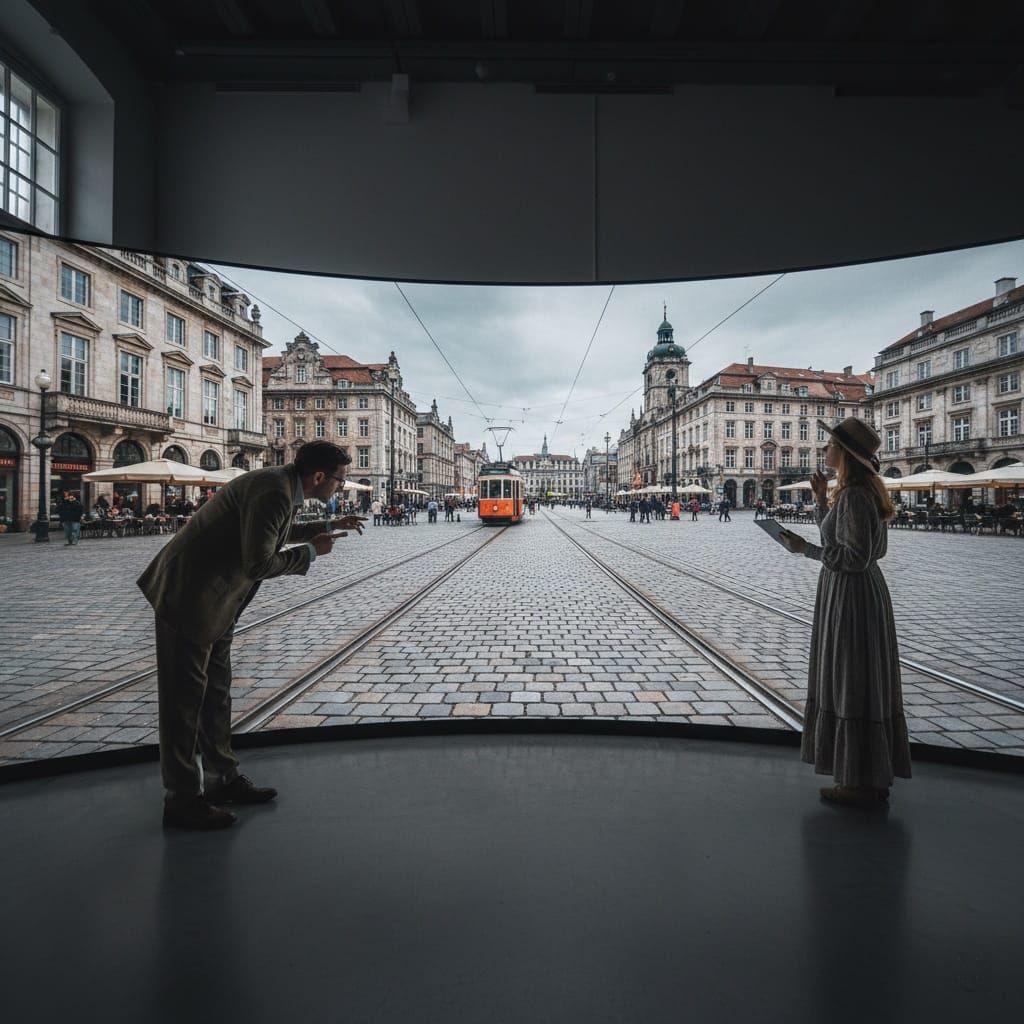
Interactive 360 tours let students step into museums, historical sites, and classrooms they might never otherwise visit, using nothing more than a phone or laptop with an internet connection. Tools like SeekBeak turn these 360-degree scenes into guided lessons with clickable hotspots and embedded quizzes, and can even sync a live tour led by the teacher in real time.
Technology shapes how students learn and how educators teach. Among the tools for immersive learning, interactive 360 tours are a practical, accessible way to bring virtual reality into education. These virtual tours let students explore real-world environments from any device, which makes lessons more engaging, more hands-on, and easier to include everyone in.
Here's how interactive 360 technology helps educators build richer lessons and stretch what's possible in the classroom.
What Are Interactive 360 Tours for Education?
Interactive 360 tours are digital environments students can explore as if they were standing in them. On any device with an internet connection, learners can move through classrooms, museums, historical sites, science labs, and more. SeekBeak, a browser-based platform for creating interactive 360° experiences, gives educators a no-code way to build these environments with clickable hotspots, embedded quizzes, and real-time guided navigation, with no software to install and no technical background required.
Key Benefits of Interactive 360 Tours in Education
Enhancing Student Engagement Through Immersive Learning
Interactive 360 tours hold students' attention by replacing static materials with environments they can explore. Picture a history class where students walk through ancient ruins, or a biology lesson where they step inside a rainforest. Lessons like these stick because students are taking part, not just watching.
Example: A geography teacher can use a 360° tour of the Grand Canyon to show erosion up close, giving students a clear view of natural processes without leaving the classroom.
Creating Virtual Field Trips for Students Who Can't Travel
Education should be open to everyone, and 360 technology removes barriers for students who can't make a physical field trip because of location, cost, or mobility. Virtual field trips give students equal access to museums, landmarks, and places around the world, whatever a school's budget or location.
Example: Students in remote areas can tour world-class museums like The Louvre or The Smithsonian, broadening their horizons without the cost of travel.
Bridging the Gap Between Theory and Practice
Applying knowledge usually takes hands-on practice, but not every school has the resources for it. 360 tours can simulate real-world scenarios, giving students experience that backs up what they learn in class.
Example: A vocational school could use 360-degree virtual tours of a hospital or construction site to prepare students for careers in healthcare or the trades.
Supporting Diverse Learning Styles
Every student learns differently. Interactive 360 tours suit visual and kinesthetic learners by letting them interact with content instead of passively reading it. That flexibility makes lessons land for a wider range of students.
Empowering Teachers with Flexible Tools
Educators can use interactive 360 tours to extend their teaching materials and build a curriculum that adapts as they go. Embedding a quiz inside a virtual tour, guiding students through a historical site in real time, or checking which parts of a tour students spent the most time on: these tools keep educators in control of the experience.
How SeekBeak Solves Common Education Challenges
Educators face real obstacles: tight budgets for experiential learning, students tuning out in digital classrooms, and generic tools that don't reflect a school's identity. SeekBeak tackles these head-on with a platform built for interactive learning in education and training environments.
Limited Access to Experiential Learning
Pain Point: Field trips and hands-on activities can be expensive, hard to organize, or out of reach for many students. Schools often lack the budget or resources to offer experiential learning regularly.
Solution: SeekBeak lets educators build 360° environments students can explore from any browser on any device. Students can visit historical landmarks, tour ecosystems, or explore museums from their classroom or home. No app installs, no special hardware, no travel costs.
Keeping Students Engaged in Digital Classrooms
Pain Point: With so many digital distractions, keeping students engaged in virtual or hybrid learning is harder than ever. Static resources lose their attention and they check out.
Solution: SeekBeak's Custom Overlays and hotspot system turn lessons into clickable experiences. Teachers can embed videos, images, quiz questions, and pop-ups directly onto 360° scenes. Students find content by exploring instead of scrolling, which turns passive reading into active learning.
Limited Tools for Real-Time Collaboration
Pain Point: Traditional teaching often can't recreate the give-and-take of a physical classroom in a virtual setting. Teachers lack tools to guide students together in real time.
Solution: SeekBeak's Tour Guide feature lets a teacher walk an entire class through a 360° environment in real time, with every student's view synced to the presenter's screen. When the teacher clicks a hotspot, every connected student sees the same thing. It runs entirely in the browser with video, audio, and text chat built in, so there's nothing for IT to install or maintain.
One-Size-Fits-All Solutions That Don't Reflect School Identity
Pain Point: Many virtual learning tools offer little customization, forcing schools into generic solutions that don't match their branding or teaching philosophy.
Solution: SeekBeak lets schools customize their virtual tours with logos, colours, and tailored content. Schools can use custom domains (for example, tours.yourschool.edu) to keep the experience on-brand for prospective students and parents.
Lack of Insight into Student Engagement
Pain Point: Educators often can't tell how students interact with learning materials, which makes engagement and effectiveness hard to measure.
Solution: SeekBeak's built-in analytics show exactly how students interact with each tour: time spent per scene, which hotspots they clicked, heatmaps of where they looked, and quiz response breakdowns. Because analytics are hosted on SeekBeak's own domain, they keep working even when browser ad-blockers are active, so educators get reliable data. Reports can be filtered by class, exported to CSV, or scheduled for automated email delivery.
How to Create Virtual Tours for Schools with SeekBeak
Getting started is simple. Upload 360° photos (taken with any consumer 360 camera), add hotspots and overlays using SeekBeak's drag-and-drop editor, and share via a link or embed in your LMS. The whole process runs in a web browser. SeekBeak also meets WCAG 2.1 AA accessibility standards, with a Dynamic ADA Text Viewer that automatically generates screen-reader-friendly versions of every tour, so students with visual impairments can use the content too.
Validated by Academic Research
Jen Elbek, a PhD student in Language, Literacy, and Technology at Washington State University, published a peer-reviewed article on how SeekBeak works as a digital teaching tool for engaging students in online classes.
Read the full paper: https://educator.waesol.org/index.php/WE/article/view/159/100
Key Takeaways: Interactive 360 Tours in Education
- Immersive learning works: Interactive 360 tours replace static materials with environments students can explore, which lifts engagement across visual, auditory, and kinesthetic learners.
- Virtual field trips remove barriers: Students who can't make a physical field trip because of cost, location, or mobility can explore the same environments from any device with a browser.
- Real-time guided tours for remote teaching: SeekBeak's Tour Guide feature syncs every student's view to the teacher's navigation, recreating the feel of an in-person field trip.
- Built-in analytics measure engagement: Educators can see exactly how students interact with content, from heatmaps to quiz responses, and adjust their teaching based on it.
- No technical expertise required: SeekBeak is a browser-based, no-code platform that has served educators and organizations worldwide since 2014. Teachers can build and share interactive learning experiences in hours, not weeks.
Frequently Asked Questions
The best tools let teachers build a tour without coding, add interactive hotspots and quizzes, and share it through a simple link or LMS embed. SeekBeak is one such platform: teachers upload 360-degree photos, add clickable hotspots and Custom Overlays, and publish a tour that runs in any web browser on whatever device students already have.
You build a virtual field trip by uploading 360° photos of a destination (or using existing panoramas) into SeekBeak's browser editor, linking scenes with clickable hotspots, and adding text, images, video, or embedded quiz questions at the points you want students to explore. Then you share it as a link or embed it in your LMS, and built-in analytics show how each student engaged with the tour.
Tools that let students explore real locations from a browser, without special apps or hardware, work best for virtual field trips. SeekBeak lets students tour museums, historical landmarks, and science facilities from any device, while teachers track engagement through built-in analytics and heatmaps showing where students spent the most time.
For facility management, look for a platform that lets different departments, such as admissions, individual schools, or facilities staff, manage their own tours under one shared account, along with detailed analytics and accessibility compliance. SeekBeak offers all three: Sub-Teams for department-level control, exportable engagement reports, and WCAG 2.1 AA accessible tours with a built-in Dynamic ADA Text Viewer.