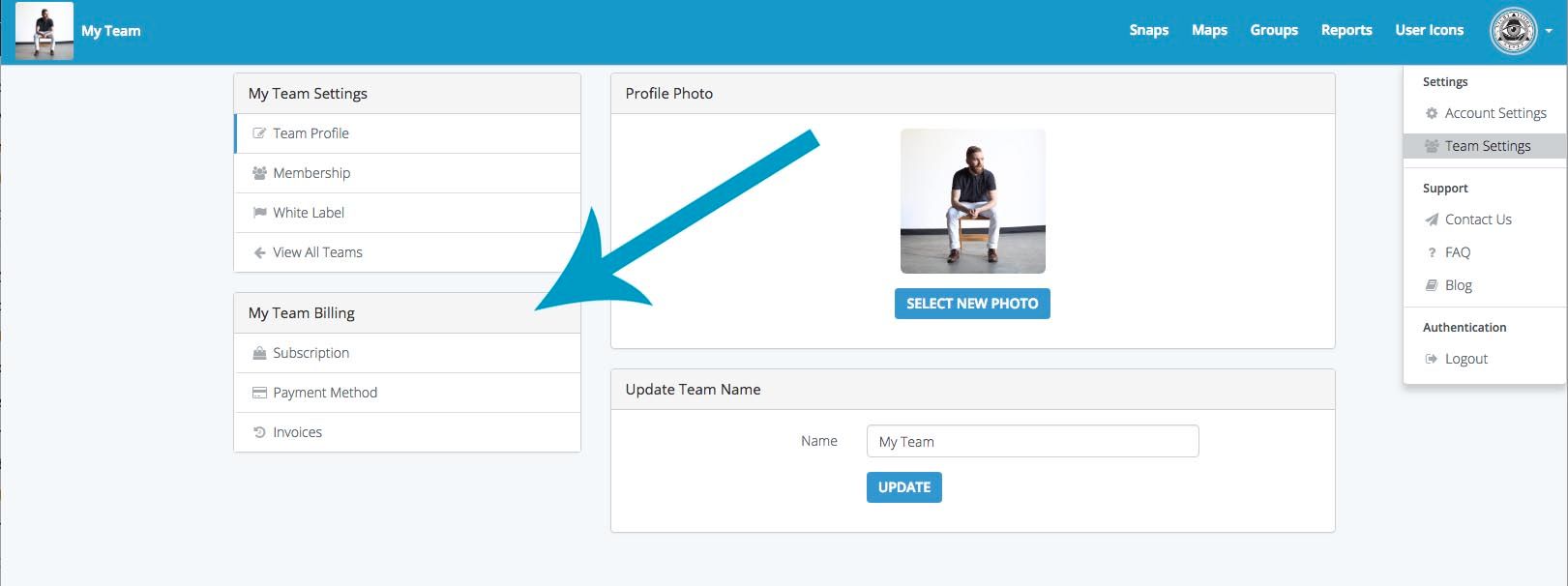
Upgrading Your AccountMarch 18, 2018 • By Tim A.How-ToUpgrading your Account in SeekBeak is simple! Open the Team Settings Menu in the top right dropdown in the Dashboard.
Recent PostsVirtual Showrooms: How to Build an Interactive 3D Showroom OnlineMay 11, 2026 • Jen M.Accessibility Is Becoming Law: What It Means for Your 360° ContentApril 20, 2026 • Tim A.How to Choose the Best Virtual Tour Platform (2026 Buyer’s Guide)March 9, 2026 • Jen M.How Does a Virtual Tour Benefit Your Business?February 16, 2026 • Jen M.The Best Google Street View Alternative for Your Business (2026)January 12, 2026 • Jen M.