

Education and Training 360° Virtual Tours
For schools and universities, the best virtual tour platform is one teachers can use without training and that opens on any student device. SeekBeak fits that, letting educators build virtual campus tours, 360° field trips, and training simulations.
Educators and institutions often face the challenge of showcasing their facilities, engaging students, and reaching a broader audience in a meaningful way. Traditional methods like printed brochures and static photo galleries fall short of creating the immersive learning experiences that today’s learners and communities expect.
SeekBeak is a browser-based, no-code platform for building interactive 360° virtual tours, virtual field trips, and immersive training environments. Used by schools, universities, and corporate training programs worldwide since 2014, SeekBeak lets you create high-quality experiences that feel like being there in person. Whether it’s a virtual campus tour for prospective families, a 360° virtual field trip to historical landmarks, or hands-on employee training simulations, SeekBeak gives educators and trainers the tools to captivate and teach.
Our 360° Virtual Tour Platform Features for Education and Training
SeekBeak goes beyond simple photo slideshows. Our platform includes the interactive tools that make virtual tours schools and universities can use for recruiting, teaching, and training.
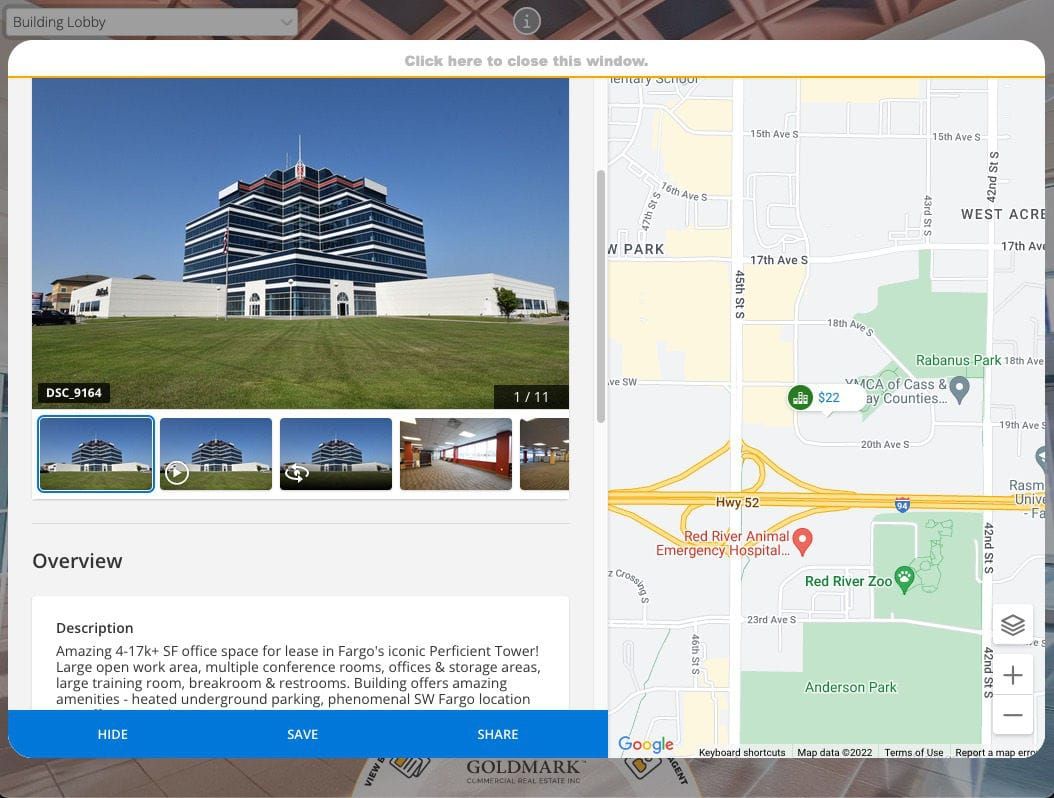
- Interactive Hotspots: Place clickable hotspots on 360° images, flat images, 3D models, and Gaussian Splat environments that display text, images, audio, video, or links to additional resources. Embed-type hotspots can load external forms and web content directly inside the tour. One school client uses embed hotspots to let prospective students submit housing applications and sign up for dormitories without ever leaving the virtual campus experience.
- Built-In Forms and Quizzes: Embed quizzes, surveys, and feedback forms directly inside the 360° experience using SeekBeak’s Form Designer. Weighted response scoring works with LMS platforms like Canvas and Moodle, making it easy to assess learning outcomes within the tour itself.
- Engagement Analytics and Heatmaps: Track exactly how students interact with your content using SeekBeak’s built-in analytics suite. See where viewers look, which hotspots they click, and how long they spend in each area. Because analytics are hosted on SeekBeak’s own domain, they work even when visitors have ad blockers enabled.
- Tour Guide for Live Sessions: Host live guided tours where a presenter controls the view for every connected participant in real time. Synchronized navigation, video chat, and text chat make remote classroom visits, campus open days, and parent information sessions interactive without requiring any app installation.
Custom Transitions
Discover more than just crossfades, zooms, and walkthrough transitions. With our comprehensive transition designer, you can add that extra wow factor. Upload custom gradient wipe files, utilize our built-in gradient wipe designer, incorporate client logos, and fine-tune speeds, zooms, and other animation parameters to create your perfect transition!
Virtual Reality & Head Mounted Displays
Experience full-featured split-screen VR viewing with Google Cardboard and other mobile-based Head Mounted Displays. Benefit from Gaze-Based hotspot activation and virtual tour navigation. Plus, enjoy controller and gaze-based navigation support with WebXR Immersive Mode on Oculus Go, Oculus Rift, Meta Quest, HTC Vive headsets, and more!
Accessibility for All Learners
SeekBeak targets WCAG 2.1 AA compliance, making 360° content accessible to students with disabilities. The platform's Dynamic ADA Text Viewer automatically generates screen-reader-friendly versions of every 360° scene, converting hotspots, titles, descriptions, and links into accessible text. Keyboard navigation, screen reader support (VoiceOver, Narrator, NVDA, TalkBack, ChromeVox), and Xbox Adaptive Controller compatibility ensure that immersive learning experiences are available to every student. SeekBeak publishes an Accessibility Conformance Report (VPAT) covering WCAG 2.2 AA, Section 508, and EN 301 549, giving procurement teams the documentation they need.
Showcase Everything That Your School Has To Offer In The Best Light Possible
Get started today and see how easy it is to create a school virtual tour with SeekBeaks 360º virtual tour platform.
Interactive Features: Bringing Your Virtual Campus Tour To Life
A university virtual tour built with SeekBeak does more than show photos of buildings. Prospective families can explore your campus interactively, clicking hotspots to read about programs, watching embedded videos of student life, and navigating between departments at their own pace. It is a self-guided, immersive visit that runs entirely in the browser with no app downloads required.
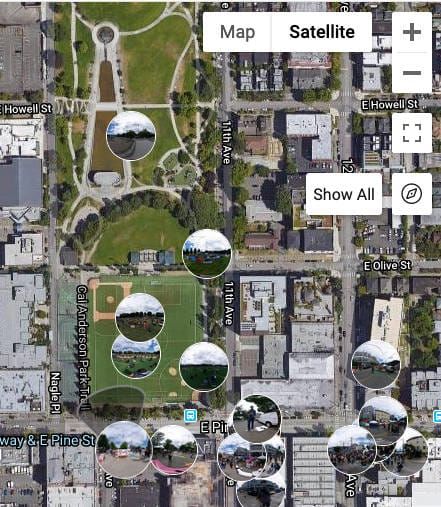
SeekBeak’s platform enables you to showcase your school in its best light. Add interactive floor plans and maps so visitors can orient themselves across a multi-building campus, embed interactive 360° content that highlights classrooms, labs, athletic facilities, and dormitories, and use Custom Overlays to display persistent navigation menus, welcome screens, or calls to action that stay visible as viewers move through the tour.
For example, a university can link its main campus tour directly to separate 360° walkthroughs of on-campus housing and dormitories. Each dorm tour can embed interactive maps of the surrounding area, highlight nearby amenities like dining halls, fitness centers, and transit stops, and include hotspots that link to housing applications, meal plan details, and other campus resources. The result is a connected, self-service experience that answers prospective students’ questions before they even ask.
Virtual Tour for Training and Employee Onboarding
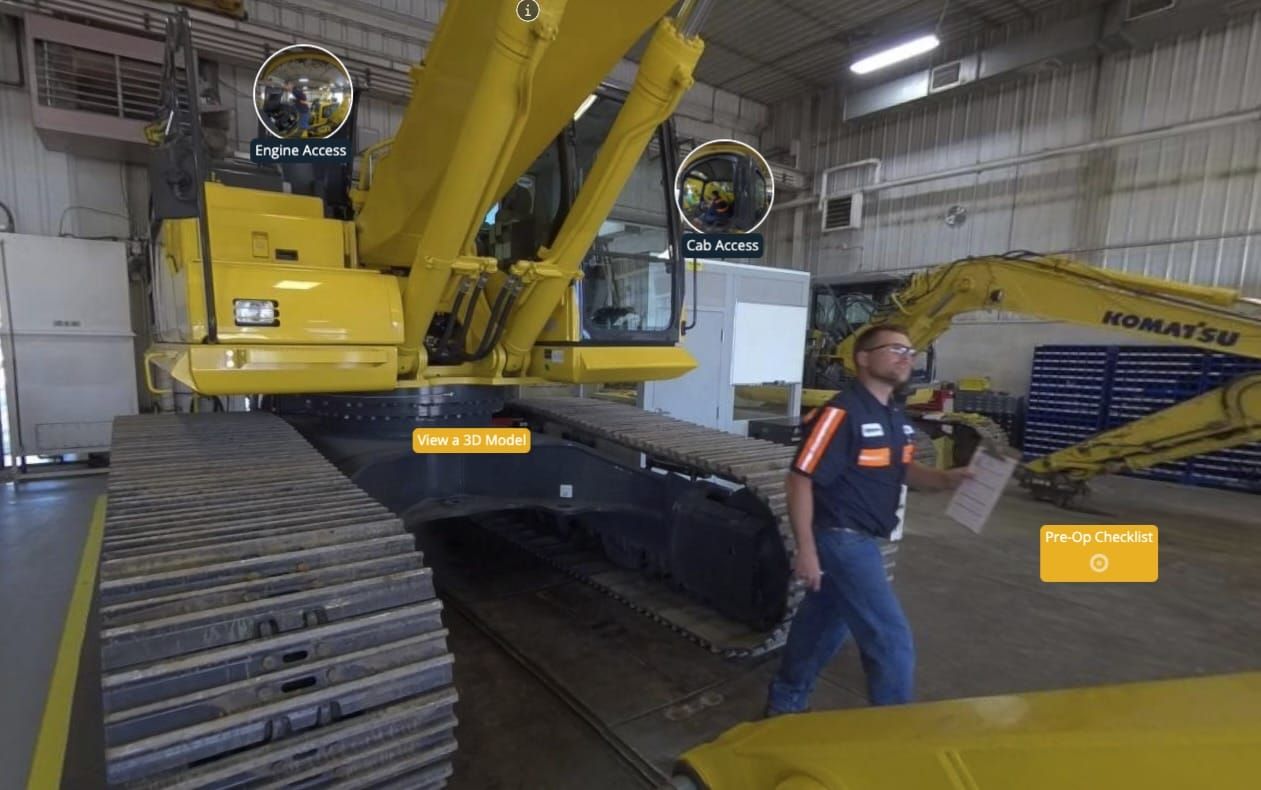
Organizations use SeekBeak to build virtual tours for training that go beyond static slide decks and video recordings. Whether you are onboarding new hires, standardizing safety procedures across locations, or giving trainees a walkthrough of equipment and facilities before they arrive on site, a 360° training tour lets employees learn by exploring real environments interactively.
SeekBeak’s interactive features make training content engaging and measurable. 360° experiences in training and recruitment give teams the ability to:
- Walk new employees through facility layouts, safety exits, and key workstations before their first day on site.
- Create realistic, step-by-step process simulations with hotspots that reveal instructions, checklists, and reference materials at each stage.
- Embed quizzes and knowledge checks directly into the tour using SeekBeak’s Form Designer, with weighted scoring for pass/fail assessments.
- Track completion rates and engagement with built-in analytics, so trainers can see which sections employees spend the most time on and where they drop off.
- Publish once and share everywhere: training tours display on desktops, tablets, and mobile devices with no software installation required.
Virtual Tour Software for Schools and Universities
Colleges and universities use SeekBeak to provide prospective parents and new students with virtual tours of their campus, classrooms, and facilities. Instead of relying on scheduled in-person visits alone, schools can offer 24/7 virtual field trips that let families explore from anywhere in the world. SeekBeak’s interactive learning tools make these experiences more than a slideshow:
- Build immersive virtual campus tours that let prospective students and parents explore labs, libraries, dormitories, and athletic facilities at their own pace.
- Create 360° virtual field trips to off-campus locations (museums, historical sites, ecosystems) that supplement classroom instruction.
- Add interactive hotspots with program details, tuition information, faculty bios, and application links so the tour doubles as a recruiting tool. Embed hotspots can load full web forms inside the tour, letting students submit general applications or housing sign-ups without navigating away.
- Use Tour Guide to host live virtual open days where admissions staff walk prospective families through campus in real time, with synchronized views and video chat.
- Publish once, view anywhere: tours display on desktops, tablets, and phones with no downloads or plugins required.
- Save time and budget with DIY creation. The no-code editor means your marketing or admissions team can build and update tours without hiring a developer.
Why Do You Need a 360° Virtual Tour for Education and Training?
If you manage an educational institution or training program, a 360° virtual tour solves real problems: reaching prospective students who can’t visit in person, making training content more engaging than slide decks, and standing out in a competitive enrollment landscape. Here are the key benefits of virtual tours in education:
Seamless Integration Into Your School or Training Website
With SeekBeak, you can embed your 360° virtual tour into your school or training website using a simple JavaScript or iFrame embed code. The tour loads directly on your page with no redirects, keeping visitors on your site. SeekBeak’s Embed API also allows deeper integration: your website can programmatically control the tour, respond to hotspot clicks, and connect tour interactions to your CRM or enrollment system.
Increased Engagement and Interaction
Research on immersive learning technology consistently shows that interactive content generates more engagement than static pages. SeekBeak’s interactive features (hotspots, embedded video, quizzes, audio narration) turn passive viewers into active explorers. Heatmaps show you exactly where visitors spend their attention, so you can refine the experience based on real data rather than guesswork.
Boost Enrollment and Drive More Traffic To Your Site
A virtual campus tour gives your school a 24/7 open house. Prospective students and parents can explore your facilities from any device, at any time, from anywhere in the world. This is especially valuable for international recruitment, where an in-person visit may not be feasible before an enrollment decision.
Replace or Supplement Traditional Field Trips
360 virtual field trips let classrooms visit museums, historical landmarks, science labs, and natural environments without leaving the school. Unlike one-time in-person trips, a virtual field trip built with SeekBeak can be revisited, updated, and shared with future classes. Teachers can add curriculum-aligned hotspots, discussion prompts, and assessment questions directly into the experience. For ideas on how organizations are using this approach, see how organizations build virtual training programs with SeekBeak.
SeekBeak’s virtual tour software is built for schools and universities that want to show their facilities at their best. With over a decade of development since 2014 and support for everything from 360° photos to 3D models and Gaussian Splats, it is a platform that grows with your institution’s needs.
Why Choose SeekBeak for Your Education and Training 360° Virtual Tour?
Here is what makes SeekBeak one of the best virtual tour platforms for education and training:
- No-code, browser-based editor: Your admissions, marketing, or training team can build and update 360° virtual tours without writing a single line of code or installing any software.
- All-in-one platform: 360° photos, 3D models, interactive hotspots, forms, analytics, live guided tours, and accessibility tools in a single platform. No need to stitch together multiple services.
- Cost-effective for institutions: SeekBeak is priced for schools and training organizations, not enterprise real estate firms. A free trial lets you test the platform before committing.
- WCAG 2.1 AA accessibility: The Dynamic ADA Text Viewer automatically generates accessible versions of your 360° content, helping your institution meet Section 504 and ADA compliance requirements.
- Works on every device: Tours render at 60fps on desktops, tablets, phones, and VR headsets with no plugins or app downloads. Content is always live-updatable: change once, and every viewer sees the latest version.
- Trusted since 2014: Over a decade of continuous development, used by organizations from individual educators to Fortune 50 companies, with hands-on support and training sessions available.
If you are looking for an easy and cost-effective way to create a 360° virtual tour of your school or training facilities, try SeekBeak for free and see how quickly you can have your first tour published.
Education & Training Virtual Tour FAQs
For education, prioritize a platform that runs on any student device, supports accessible content, and lets you add interactivity like hotspots, embedded video, and quizzes. SeekBeak does all of this, so educators can build virtual campus tours, 360° field trips, and training simulations without installing software or writing code.
A teacher can capture or source 360° images of a location, upload them to SeekBeak in a browser, and connect them with clickable hotspots that add facts, images, video, and questions. The finished 360° field trip is shared as a simple link or embedded in your learning platform, so students can explore historical sites or landmarks from the classroom or from home.
Yes. SeekBeak’s Forms feature lets you embed quizzes and questions directly inside a tour, with weighted responses for scoring that work alongside LMS platforms like Canvas and Moodle, so a virtual walkthrough can double as a graded assessment or a training checkpoint.
Yes. SeekBeak targets WCAG 2.1 AA compliance and includes a Dynamic ADA Text Viewer that generates screen-reader-friendly, text-based versions of 360° content, along with keyboard navigation and support for major screen readers, helping institutions meet their accessibility requirements.
Yes. With SeekBeak’s Tour Guide feature, an instructor guides students through a 360° environment in real time, with every participant’s view synchronized to the presenter and video, audio, and text chat built in, which works well for remote and hybrid classes.
A virtual field trip lets students explore a place they cannot visit in person, such as a museum, landmark, or workplace, through interactive 360° scenes they navigate from any device. Teachers guide the experience with clickable hotspots, embedded media, and questions, so students learn by exploring rather than just watching.
Check Out These Real-World Examples of What We Can Do for You
We're proud to have worked with some amazing companies over the years. Click the image below to check out these examples of how we've helped them win more clients and grow their businesses. These aren't just demo's, they're embeds of active projects which are currently live and in use around the globe: